Skylit: a warmer home dashboard
Family photos, the weather, everyone’s calendars, and a small robot named Momo. Giving an Android photo frame a little more to do.
Visit Skylit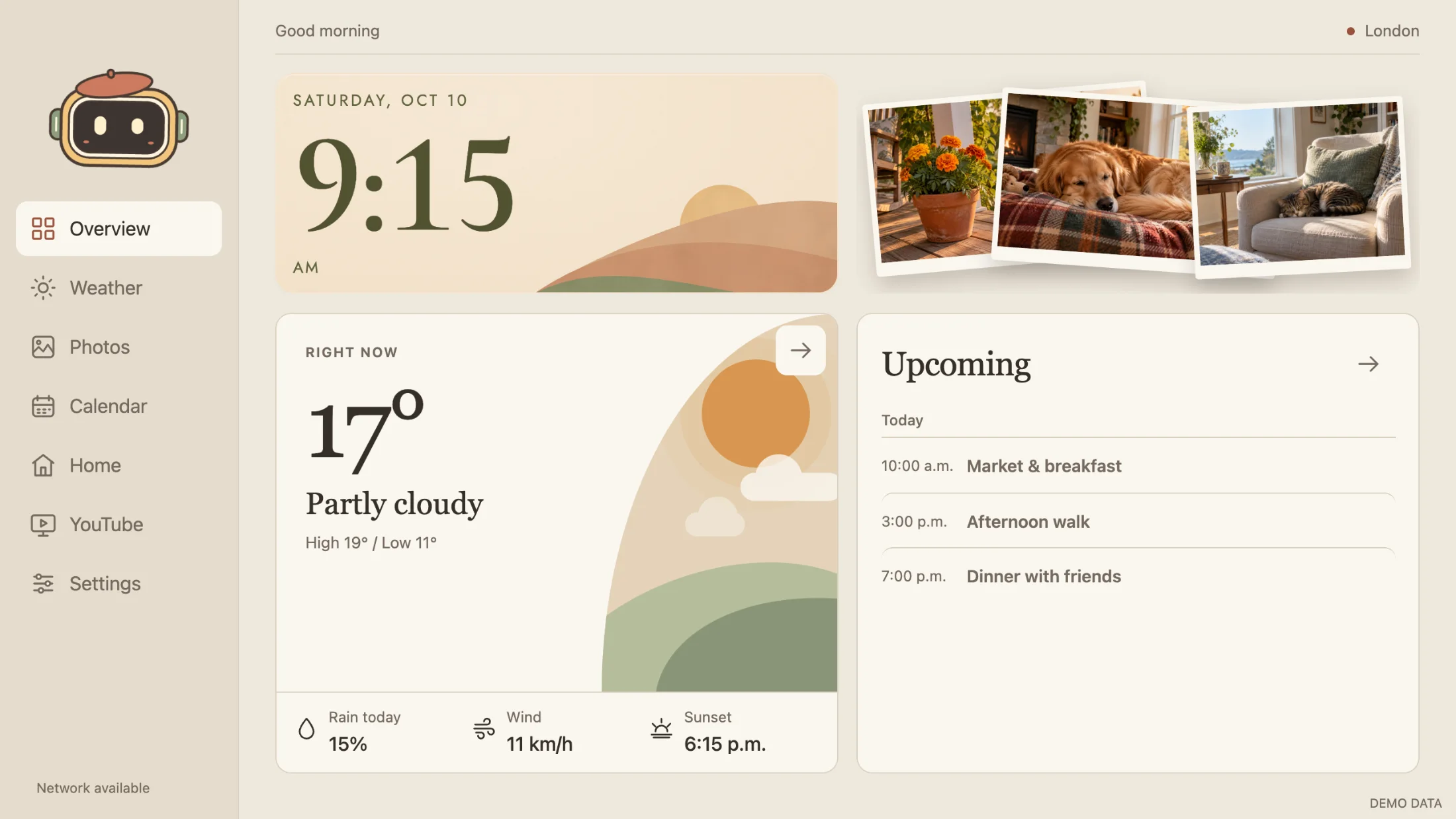
A photo frame already has a good place in a home. It sits where people pass it, brings old pictures back into view, and asks very little of anyone. It is also a screen that is usually doing just one thing.
Skylit gives an Android photo frame a broader role: a calm place to check the time, the weather, family photos, and the day’s plans. It is a dashboard meant to live in a room, with large type, soft colours, and controls that make sense at arm’s length.
The useful things, together
The overview brings a clock, a forecast, recent pictures, and upcoming events into one view. You can start with a balanced layout, give the photos more room, or put the calendar first.
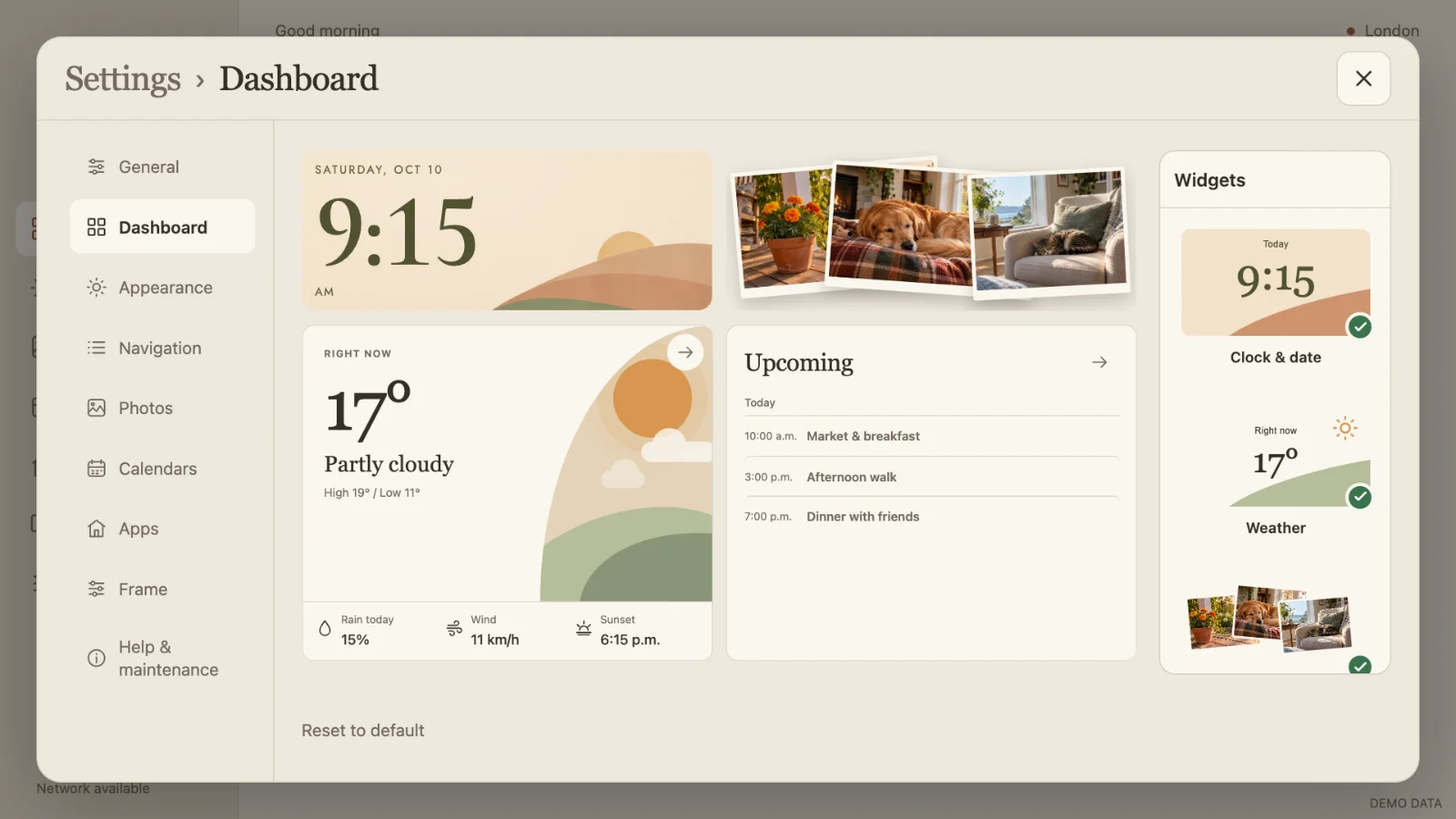
The layout is adjustable. Widgets can be moved, resized, and swapped in a live editor. A household that mainly wants pictures and the weather can make that screen; another can leave more space for plans, a note, or a shopping list.
Let the pictures keep moving
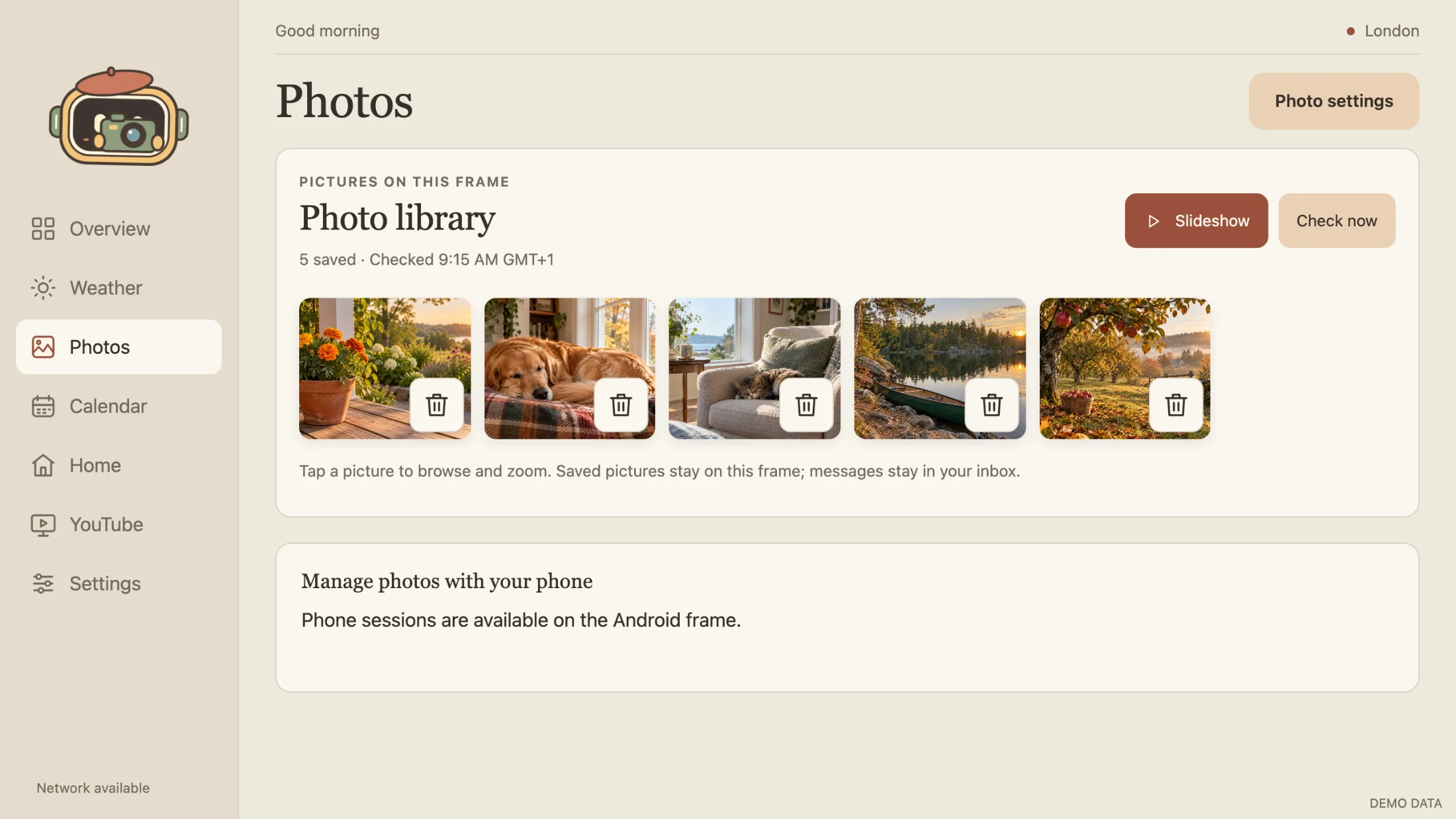
Photos can arrive through a shared Google Photos album or a dedicated email inbox. The library gives you a place to browse, favourite, collect, and hide them. Paired phone curation lets you make those choices from the sofa over local Wi-Fi.
When the frame is idle, the pictures take over. Slideshow styles range from a soft fade to falling prints and a photo collage. Touch brings the controls back, and the dashboard is there when someone needs it again.
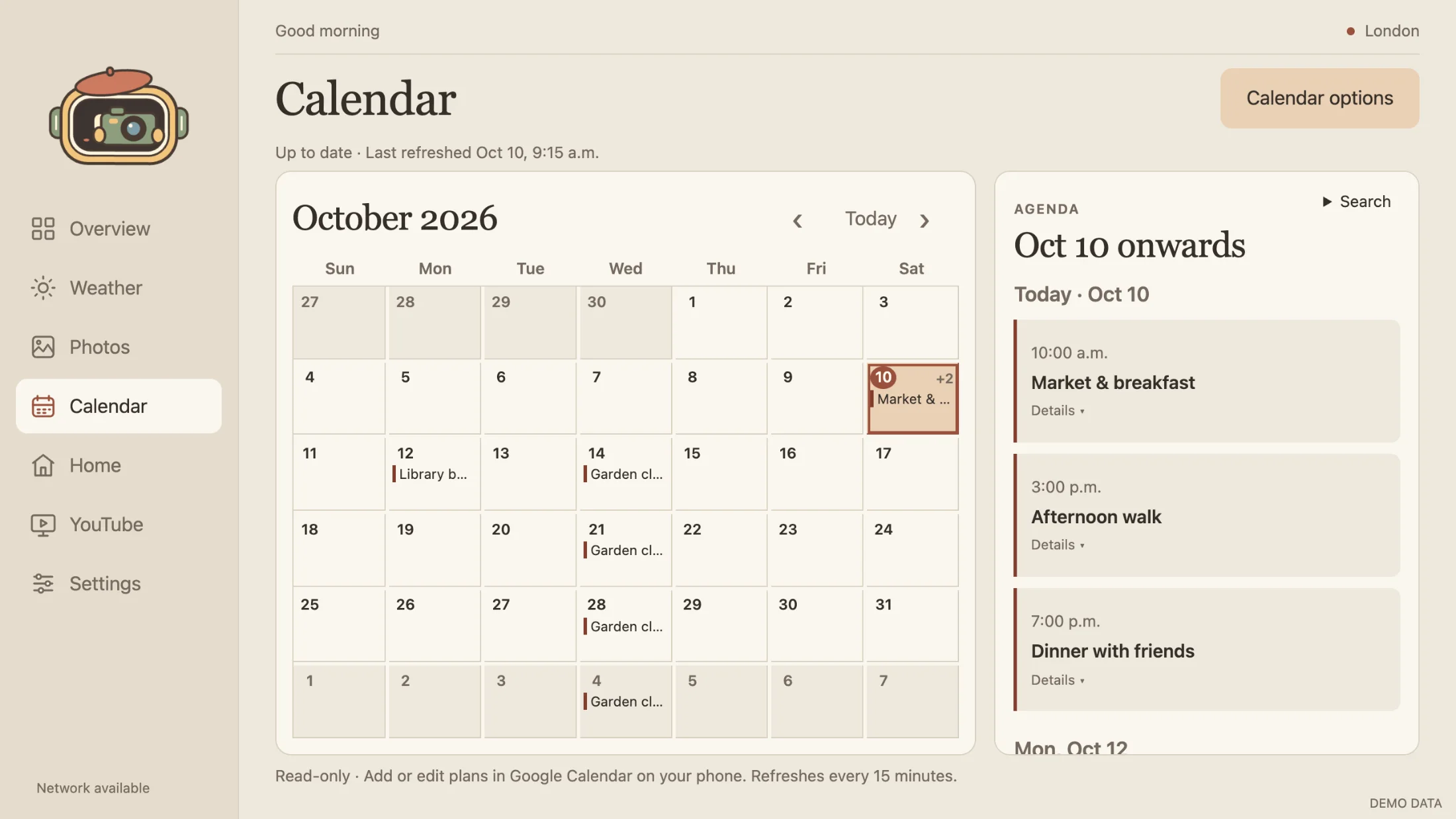
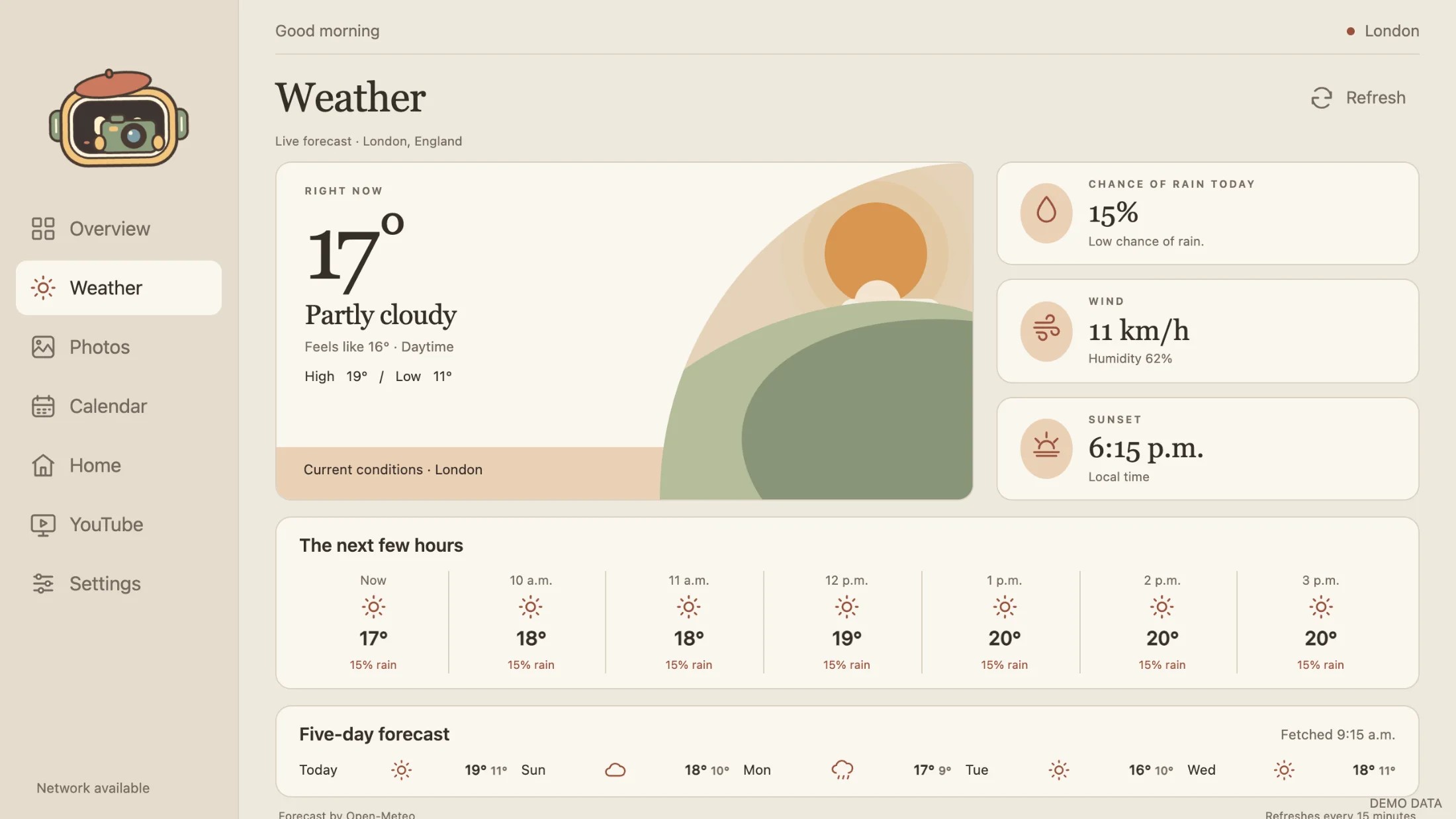
The screenshots in this post use synthetic events, sample forecasts, and generated demo pictures. They show the interface without showing a household’s private information.
A little personality helps
Momo is a tiny robot drawn in code. He reacts to touch, notices the weather, follows the day, and has a collection of accessories. There is a bedtime routine, too.

Meet Momo.
A tiny robot with a wardrobe, a bedtime, and opinions about the weather. Three snapshots from his day:
It is a small detail, but a screen that stays in a shared room can have a different character from the software on a work computer. Momo gives the frame something familiar to greet you with, even on a day when the calendar is empty.
Built for an ordinary day at home
The weather has hourly and five-day views. The calendar combines read-only feeds, while everyone keeps adding and changing events on their own devices. Light and dark palettes can follow sunrise and sunset in the selected city.
The app starts offline, keeping the last saved forecast, calendar events, and pictures available until the connection returns. Quiet hours and a privacy pause help the frame fit around the household’s day.
There is no Skylit account or subscription. The frame connects to the services you choose, and its private settings stay on the device.
Give a frame another job
Skylit is an independent project inspired by Wes Bos’s photo-frame dashboard. It is designed for Android photo frames that already allow app installation; it is not an official Skylight product or a method for unlocking a frame.
Visit Skylit for more screenshots and setup information, or explore the source on GitHub.